
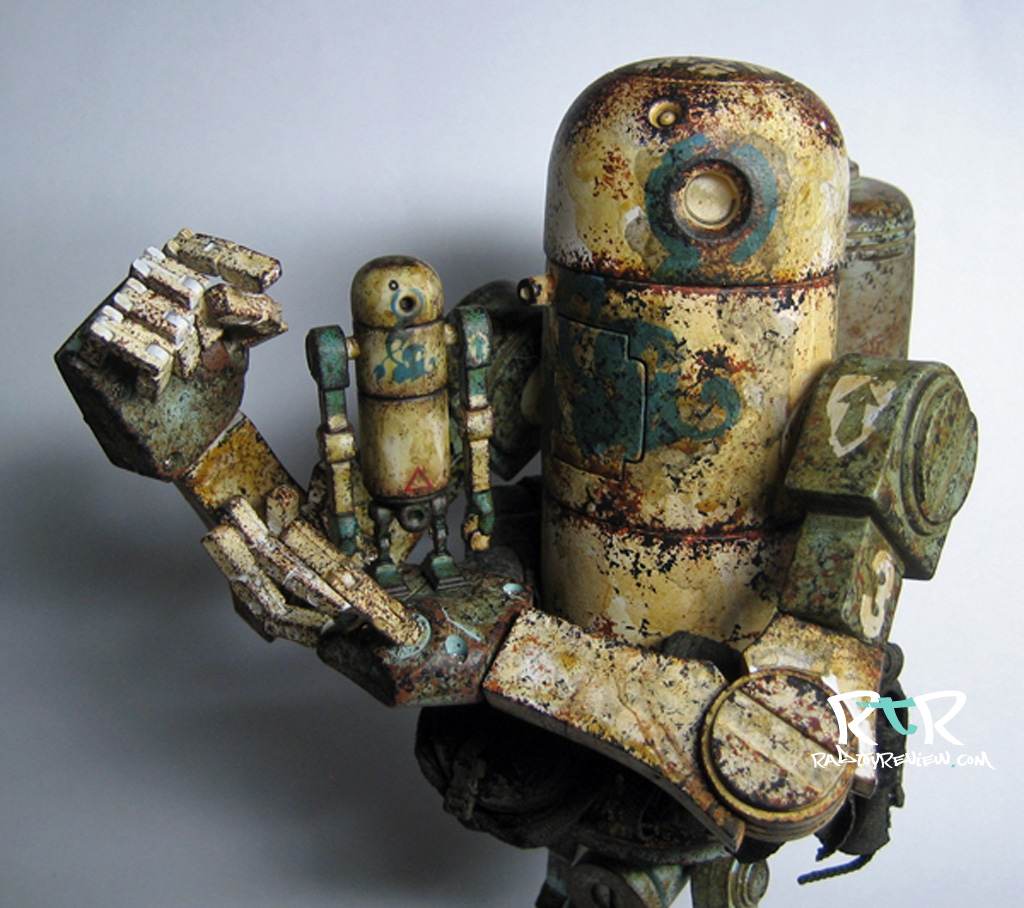
It’s been a bit since we’ve updated The Workshop with any new content so I’m incredibly happy to be able to offer the first part of a massive 5 part tutorial series by the extraordinary toy artist/mod, markovengine! Those who hang around the official threeA boards are sure to recognize his fantastic work. His skill at crafting fully realized miniature versions of well known full size bertie colorways is astounding. (You can check some of his stuff here! ) Through this series, you’ll get the step by step and learn from him exactly how to make super detailed mini berties of your very own. (check out our review of mine berties here!)
A massive thanks to markovengine! Rad Toy Review is thrilled to be able to offer this series to you and we truly hope you get something rewarding out of it!
Enjoy!
– Knives
DIY MINI BERTIE CUSTOM PAINT TUTORIAL
———————————————————————————————————
Part 1 : Preparation before painting
———————————————————————————————————
This tutorial is a DIY MINI BERTIE CUSTOM PAINT TUTORIAL.
I don’t believe I did anything very special.
The steps I use are essentially the same as when someone builds and paints a plastic model.
1-1
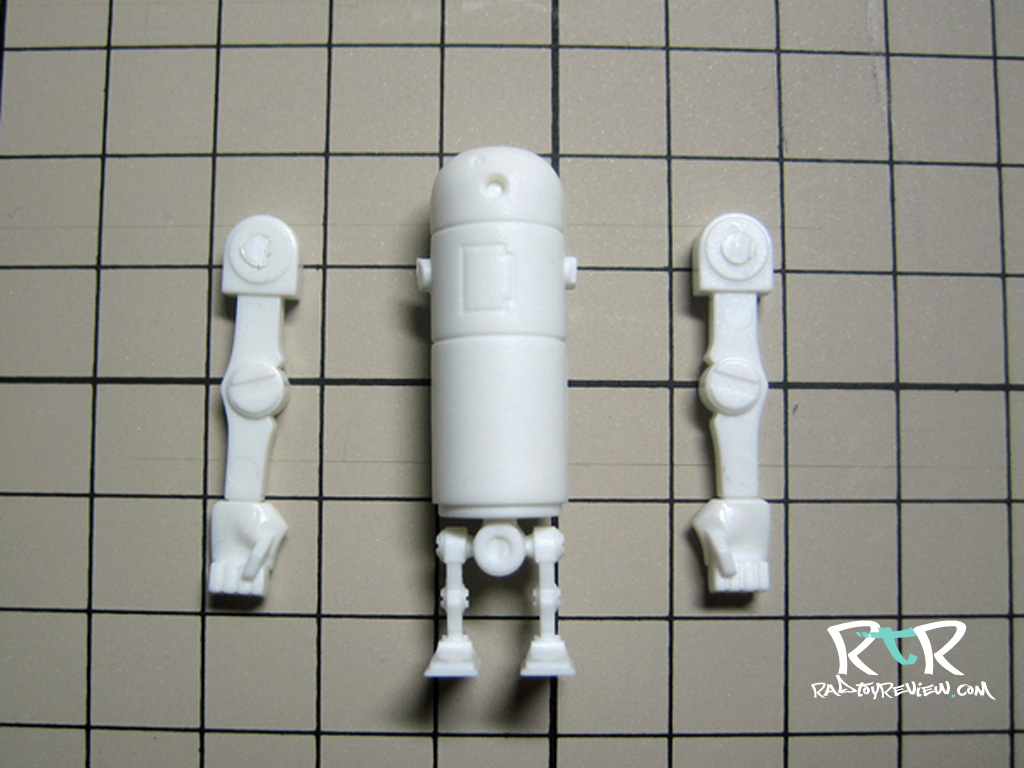
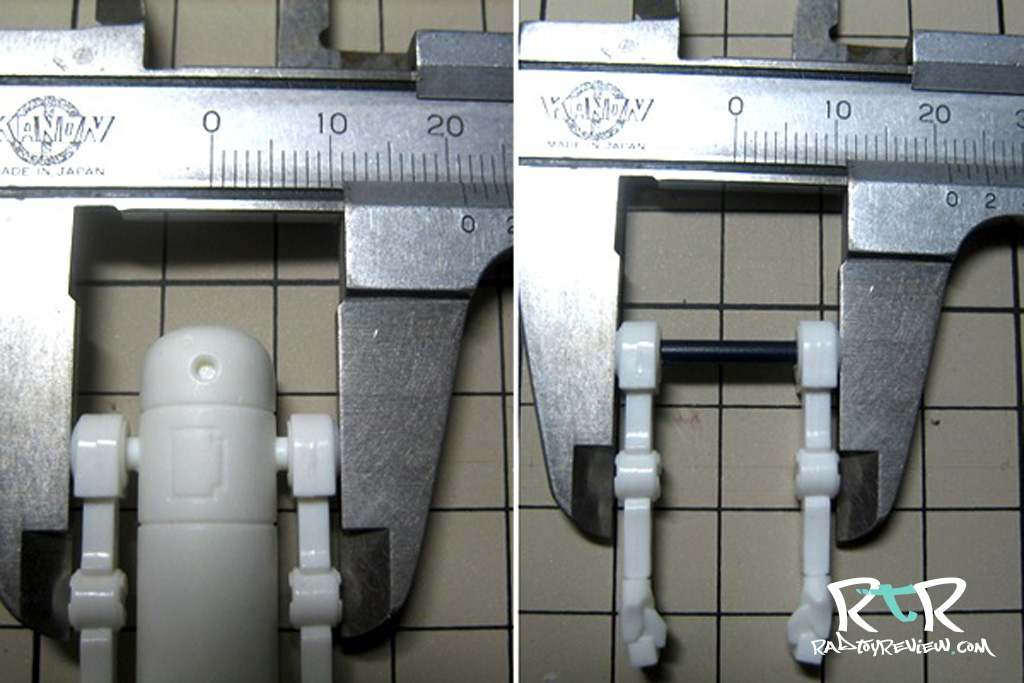
First, measure the width, shoulder to shoulder on your mini bertie. It should be about 2.12mm. Remember that number.
Separate the arms from body using the nippers or a saw.

———————————————————————————————————
1-2
Cut them clean and make the cut as close the arm/shoulder as possible.
Detach.
———————————————————————————————————
1-3
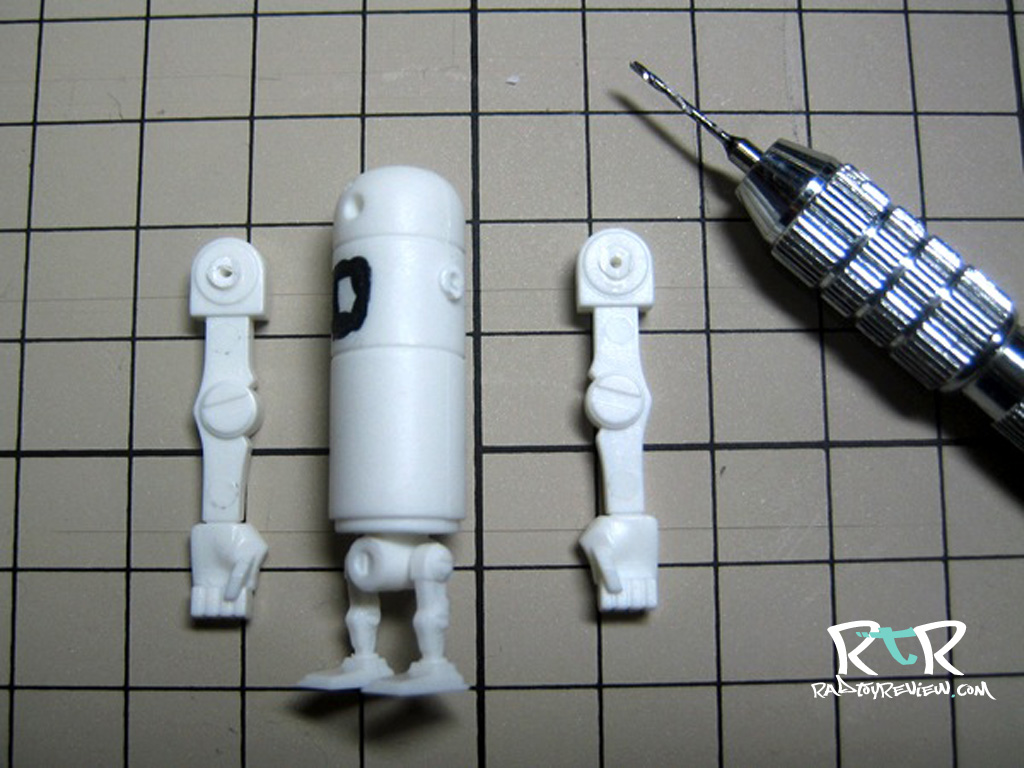
Here I filled the chest area with some putty.
It helps to have a smooth surface when applying decals.
This step isn’t required, but makes things easier down the road.

1-4
1-5
To keep from making a mistake I gradually increase the drill bit size a step at a time to enlarge the hole.
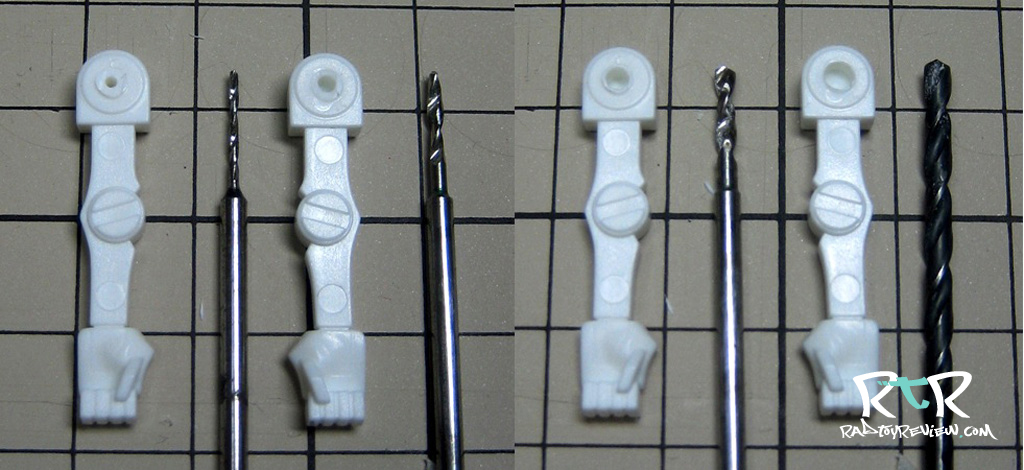
The holes should line up and reach around 2.5mm at the body and shoulders.

1-7
Now you need some sort of rod to run through the holes in the body and attach the arms to. I use cuts of plastic model frames which measure out to 2.5mm.

1-8

1-9
Right : Cut a measure the rod so that it will fit the shoulder pieces. Adjust it a little at a time until you have the width at 2.12 mm.
1-10
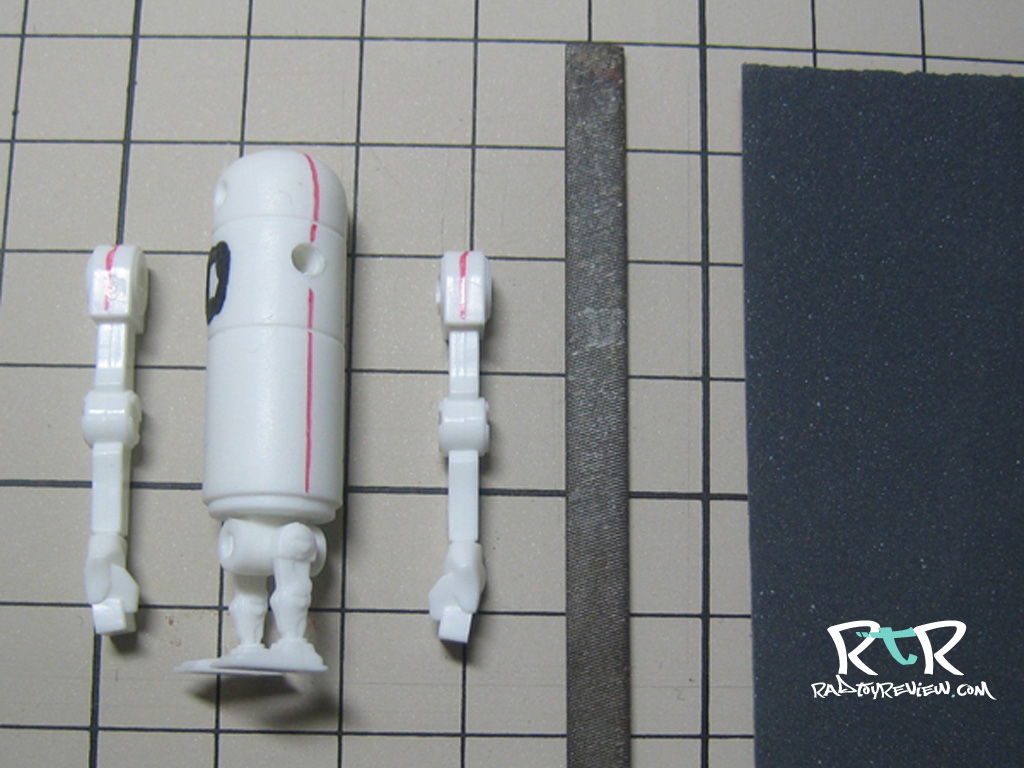
Using a metal rasp and some fine grit sandpaper, shave off the chest putty and smooth out the plastic seams. (shown by a red line)
1-11
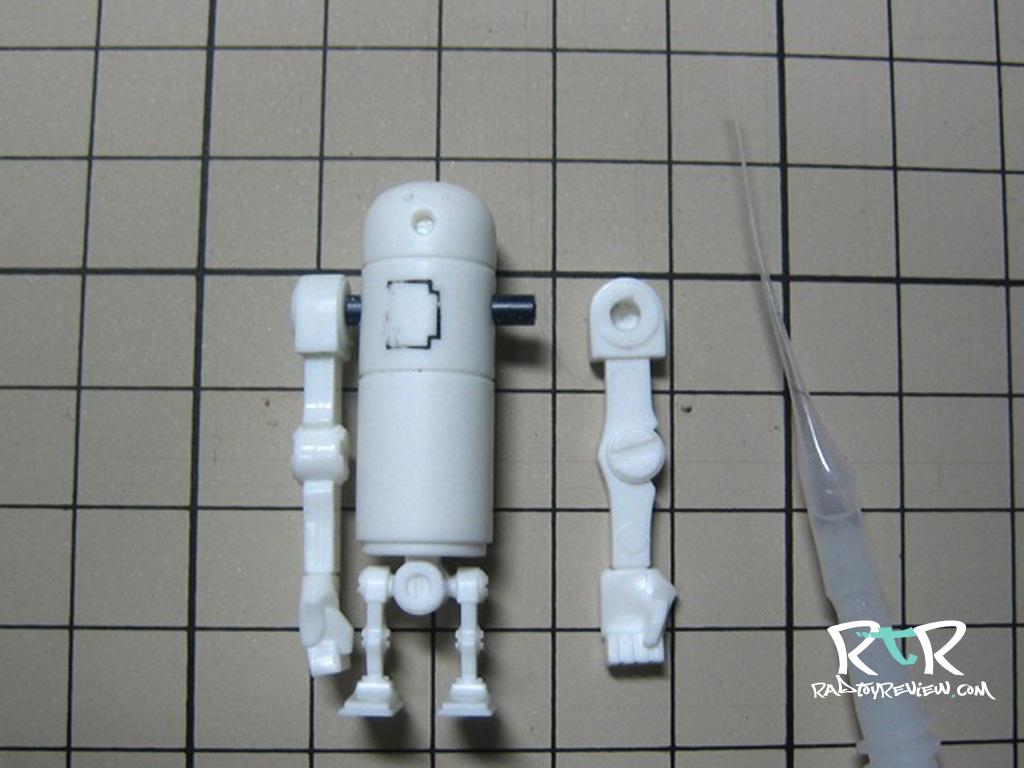
Insert the shaft into the body.
1-12
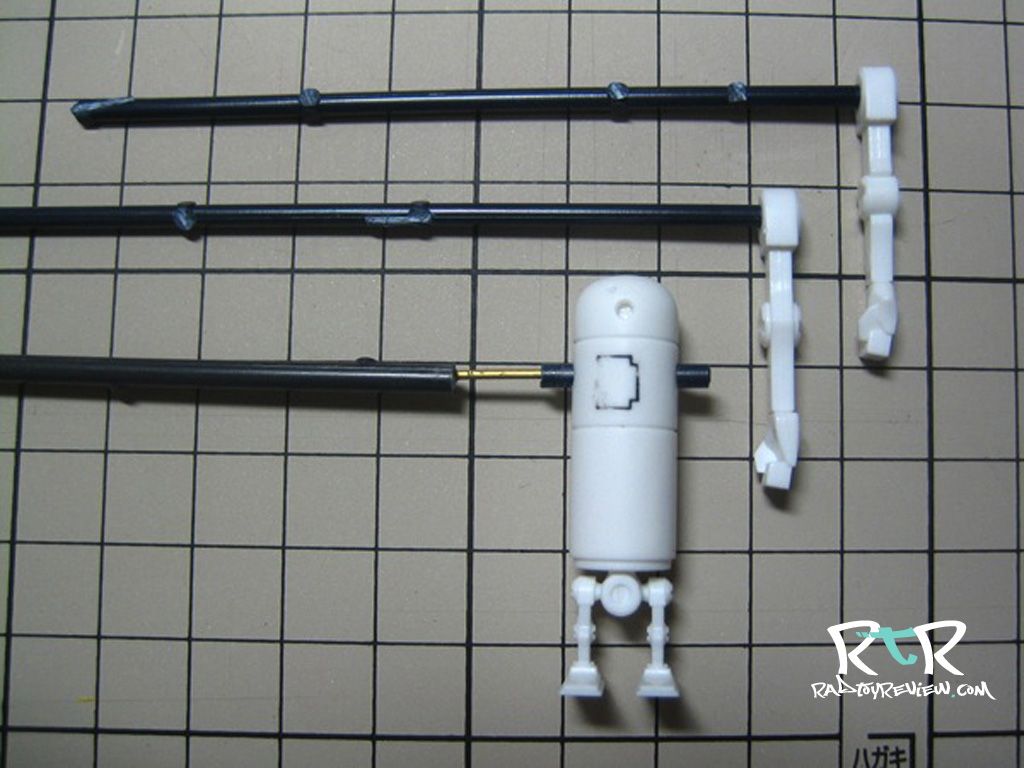
I’ve used more model frame scraps to create handles for each parts. This will be a huge help when painting.
For now, we’re finished with part 1!
Continues in Part 2 : “Paint body and create decals”!
Hit us up on Facebook or Twitter pages to stay updated whenever we post new Workshops and epic toy reviews!
Until next time!
.
.
.
.
.
.
.
.
.
 Rad Toy Review