THE WORKSHOP – DIY Mini Bertie Custom (PART 5 of 5) by markovengine

We continue with the final of our 5 part tutorial series by markovengine! It’s been a great ride!

If you need to catch up:

Part 1 – DIY MINI BERTIE CUSTOM PAINT TUTORIAL

Part 2 – PAINT BODY AND CREATE DECALS

Part 3 – PLACING DECALS

Part 4 – Weathering – 1

Enjoy!

– Knives

———————————————————————————————————
PART 5 : Weathering-2 (FINAL)
———————————————————————————————————

5-1
Continuing our with our weathering, I mix some brown and black to make a darker brown paint.

———————————————————————————————————

5-2
I paint with this closer in to edges and seams where I’ve sponged on my lighter “rust” .

———————————————————————————————————

5-3
Paint and erase until you are satisfied. Take your time, this little guy isn’t going anywhere.

———————————————————————————————————

5-4
With our sponge work completed, I decided to hit the bertie with a little yellow to closer match his big brother.
Repeat Step 4-2~Step5-4  until you are satisfied with the result.

———————————————————————————————————

5-5
Here is the what the final painted rust looked like before the final step.

———————————————————————————————————

5-6
I then use an airbrush and hit the bertie with a little clear flat matte coat to protect my work so far.

———————————————————————————————————

5-7
Now I want to go back and wash the grooves with black so the details really pop.
It’s a pretty easy process. Just dilute some black with thinner and run your brush over the various grooves and other areas you want to be darker.
I also painted a little oil dripping from the eye hole using the same method. You can also dab a little dark paint at random points of your figure for more variety in his paint texture and weathering.

———————————————————————————————————

5-8
Finally! My completed Mini Deep Powder Bertie!

Here are some variations I created using several of the same practices. Thank you for reading my tutorial, I hope you enjoyed it!

We’d love to hear from you and check out what kind of customs you’re working on! Send us a shot of your latest custom work with a brief description to radtoyreview@gmail.com. 

Hit us up on Facebook or Twitter pages to stay updated whenever we post new Workshops and epic toy reviews!

Until next time!

.

.

.

.

.

.

.

.

.


*Review* 3A and Valve’s SDCC 2012 Companion Square

INTRO

This may be the shortest review in RtR history. I won’t even call it a review,  it’s more of a “Hey kid, quick peaking in my window!”

I love Valve. Not to sound like the guy who says “I love lamp”, Valve is a game company that makes awesome games. Half Life, Portal, Counterstrike, Left 4 Dead, Team Fortress, etc etc.. Games that I’ve been playing since I was a wee boy. They make magic in a box and I’m a long, long time fan.

When 3A announced their partnership with Valve software, I literally did a back flip over a donkey. Hunting down a donkey in Hawaii is more difficult than it may seem, but the occasion called for and justified it completely.

I imagined how awesome 3A’s version of D.O.G, The Combine or Zombies would be. As cool as Adventure Kartel was, I thought Team Fortress figures would be even cooler. An image of a 1/6 scale Freeman sitting on my desk with his bloody crowbar and “buddy” headcrab came to mind almost instantly.

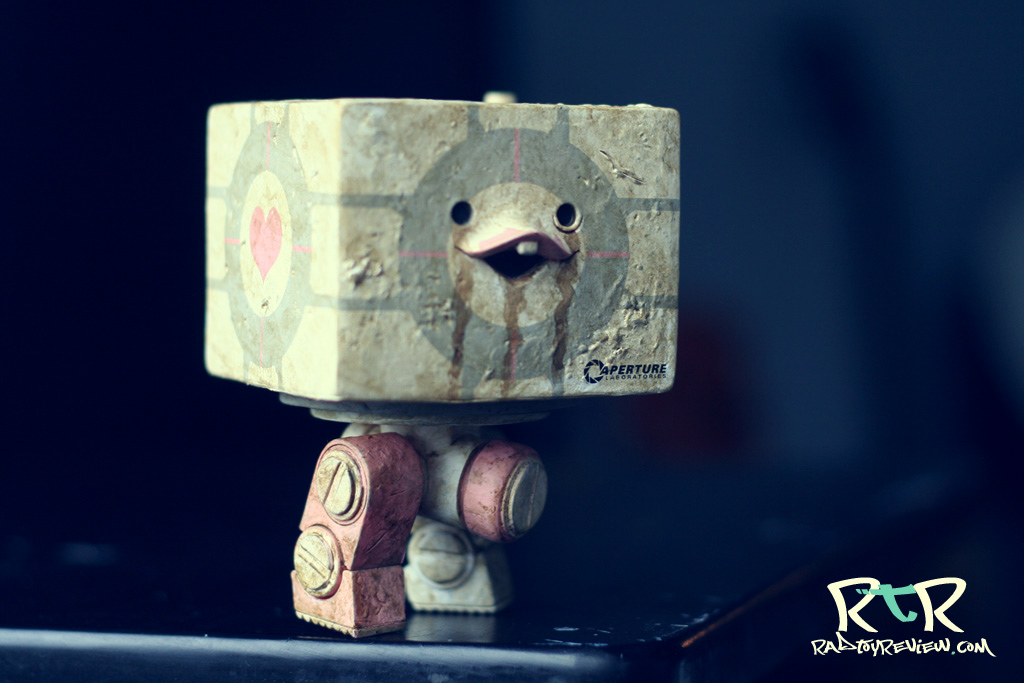
Whelp! Instead of any of that awesome sauce, 3A’s first offering to us was this guy. A toothy, smiley 1/6 WWR (Portal?) companion square. Basically 3A’s iconic Square with the decals of a companion cube.

Cute.

PACKAGING

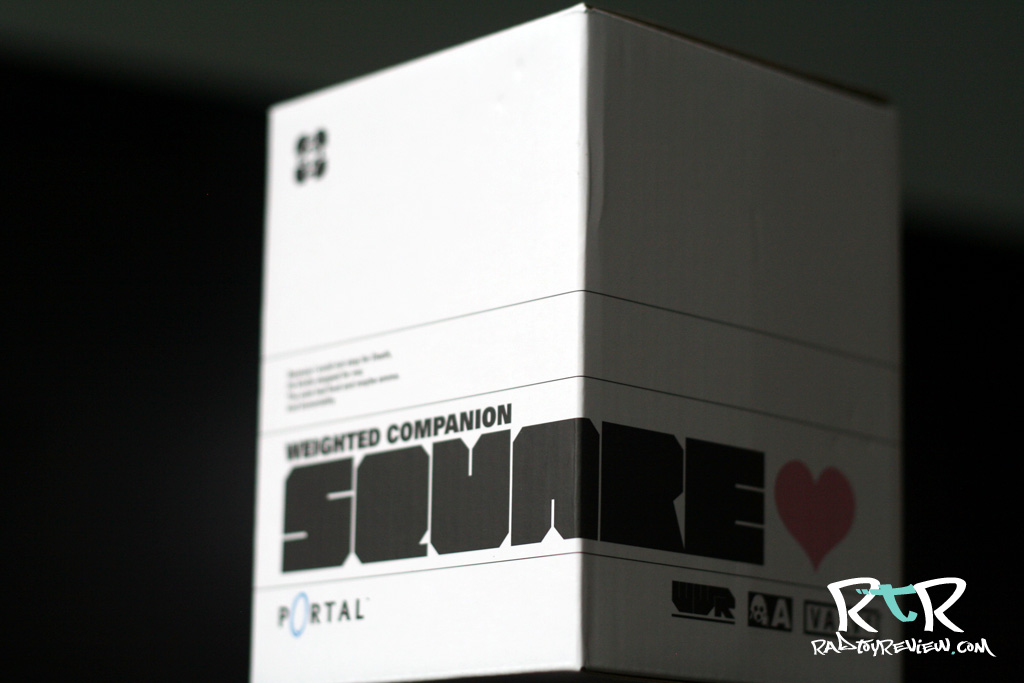
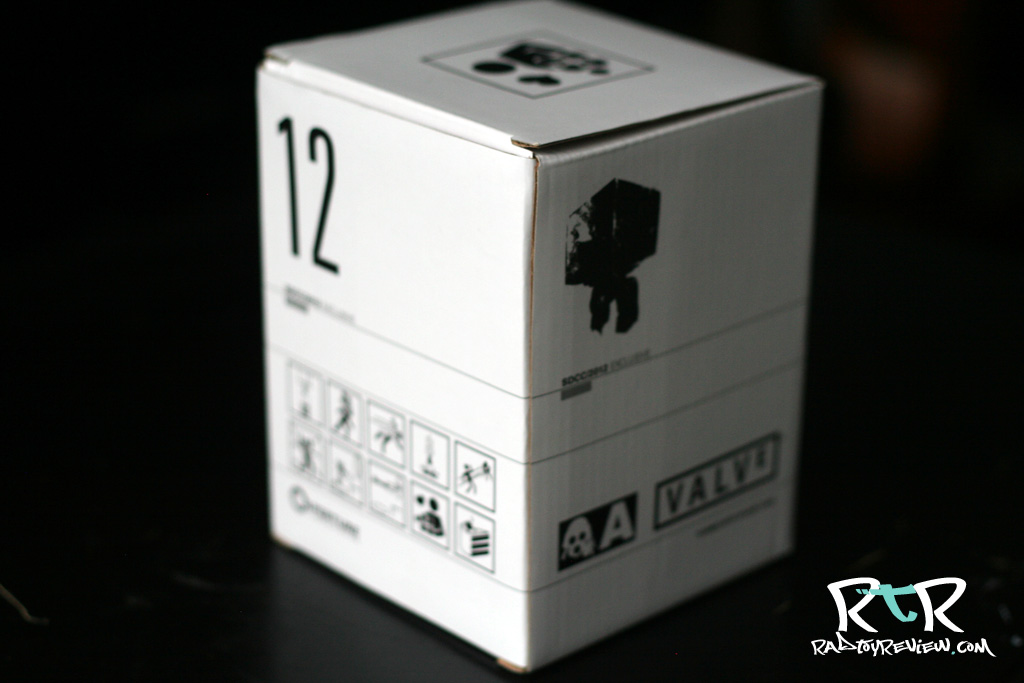
A clean white box is the initial home of your companion square. Some nice decal/design work that seamlessly integrates a bit of 3A and Valve’s unique charm

WHAT’S INCLUDED

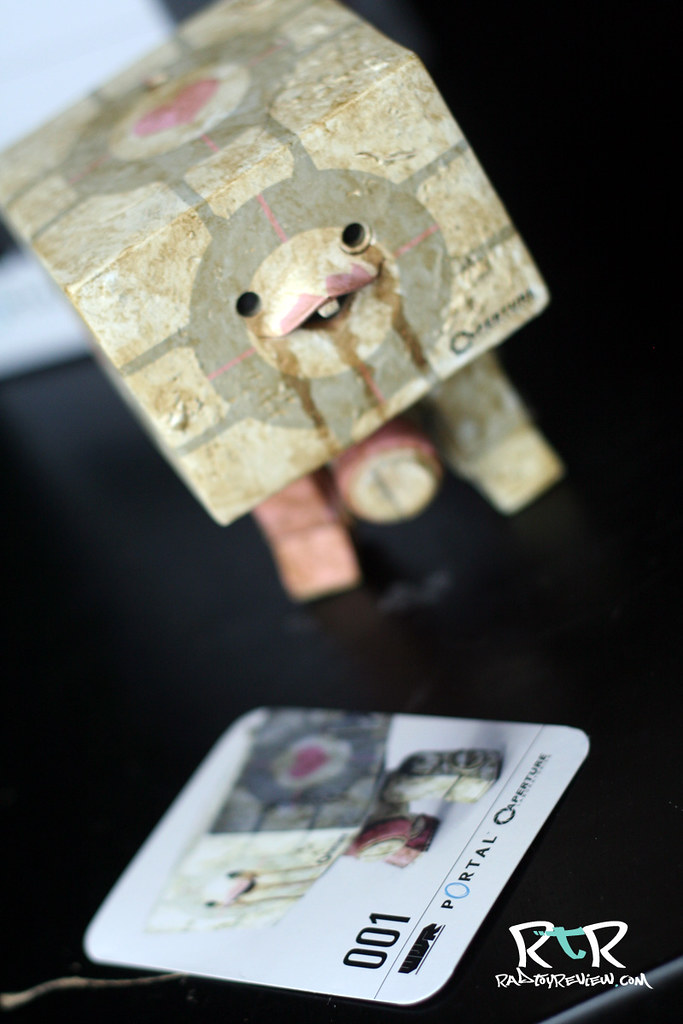
There’s the little guy! Daaawww… Other than the cutest little square I’ve ever seen.. Yes he IS! Other than bucky here, you also get a card that has codes and what not on the back that supposedly does something awesome somewhere Valve-y.

I admit, I have no clue what it does. I’ll need to load up PORTAL and look into it further.

THE BREAKDOWN

I’ve always preferred the classic stub legged, two eyed squares to the newer long legged, mono eyed ones. I had a.. we’ll call it.. impassioned discussion with a friend about why one is better than the other.. he standing on the opposite side of the fence than me on the subject. His argument was that the stub legs never made any sense in WWR. How are these little guy suppose to be scouts, move quickly, slip behind enemy lines etc? Plus he hated their goofy, cutesy face.

He said, “The longer legs on the MK2’s made a lot more sense for recon. Plus, the monocle eye is far more menacing and creepy.. even with that buck tooth grin.

And there it is. This is a robot with buck teeth. I’ll repeat that, a ROBOT with freak’n buck teeth. Long legs or not, it’s not SUPPOSE to make sense. Why are you trying to make it do something it’s not suppose to do? THAT doesn’t make sense.

To me, aesthetically, these MK1 style squares are cute and perfect just as they are. They’re iconic to 3A and will remain that way long after we’ve all forgotten how ugly and stupid the MK2’s were. Argument won, simply because this is my site. Suck it Garrett!  😉

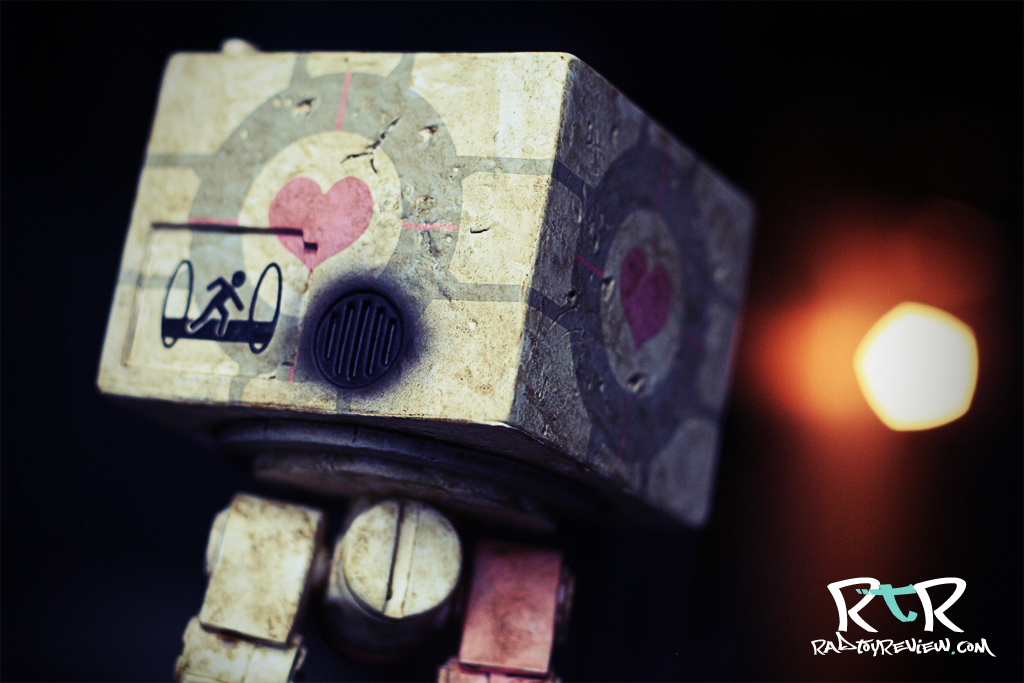
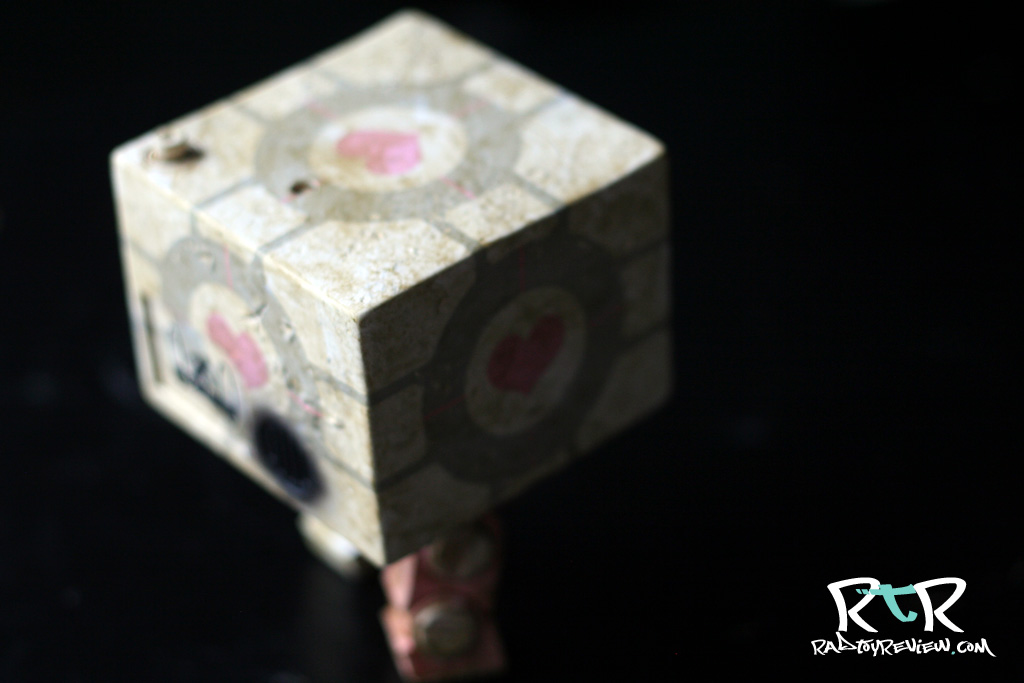
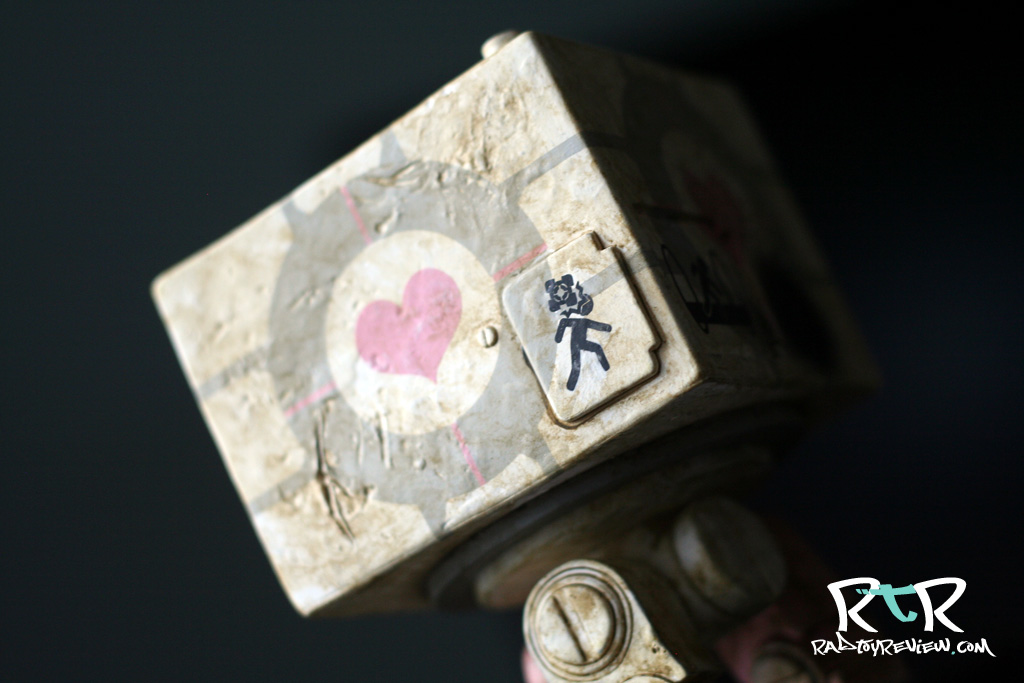
Honestly, there’s not a ton else to say about this guy. The paint and weathering is of your standard grade A, ThreeA quality and the companion cube likeness is immediately recognizable. The heart shaped decals look like and are where you’d expect them. As an afore mentioned fan of all things Portal, it’s fun to see all the little references such as the “Aperture Science” logo and falling cube warning.

Basically what it’s going to come down to is if you like the MK1 squares or not. Also, are you man (or woman) enough to deal with pink hearts on your toys? If the answer is “yes” than you’ll love this guy.

I’ve gotten a few reports from people saying that theirs has a different decal on the back plate than mine.        I wonder how many variants there are…


FINAL WORD

I know a lot of people were moaning that this was a stupid SDCC publicity stunt and not at all something the fans wanted. Where’s our Gordan Freeman? Where’s our D.O.G? Where’s our Left 4 Dead Zombies? Why isn’t the grooves of the companion cube sculpted into the square instead of just painted on? The list of not-long-for-this-world horse beating goes on..

Look, this was the first thing out of the gate. To me, it’s a handshake. A glimpse meant two give us a good idea that these two companies are joining up and are planning some cool stuff down the line. We’ve seen glimpses already of the incredibly intricate Portal bots on display at 3A’s Reventure. The other SDCC exclusive was from Team Fortress, the Heavy’s “Sandvich”. I think that alone shows we can expect some really unique things to come from this partnership.

And I, for one, am really looking forward to what’s next!

Pros:

  • MK1 Squares are the best Squares
  • The Valve/3A partnership exists!
  • Buckteeth robots are indeed cute
  • The paint/weathering is done very well. Not a quick or sloppy app. in sight!

Cons:

  • SDCC exclusive makes it more difficult for fans to get
  • If you don’t like bucktoothed robots, this guy won’t do anything to change your mind.

Help us improve this site by letting us know what you think! Follow us on Facebook and Twitter to stay updated on all the latest reviews, previews and toy news!

/

/

/

/

/

/

/

/

THE WORKSHOP – DIY Mini Bertie Custom (PART 4 of 5) by markovengine

We continue with part 4 of our 5 part tutorial series by markovengine! 

If you need to catch up:

Part 1 – DIY MINI BERTIE CUSTOM PAINT TUTORIAL

Part 2 – PAINT BODY AND CREATE DECALS

Part 3 – PLACING DECALS

Enjoy!

– Knives

———————————————————————————————————

Part 4 : WEATHERING

———————————————————————————————————

4-1
These are the colors and brand I like to use for weathering figures.

———————————————————————————————————

4-2
You can apply your paints separately or mix them together. Before you start painting you need to really dilute the paint with paint thinner. You just want a very watery thin base coat. If your application is too dark, just wipe it off with a cotton swab.

———————————————————————————————————

4-3
Work over the whole piece with diluted brown/black paint. Be sure to get into the crevices until he looks something like this.

———————————————————————————————————

4-4
Next, we start working on our rust technique.
I used brown and a piece of sponge. Different sponges will give you different texture.

———————————————————————————————————

4-5
You’ll want to cut the sponge shape sharp.

———————————————————————————————————

4-6
Get a dab of your paint on the tip of the sponge. Wipe off the excess with a cloth. You won’t need a lot of paint.

———————————————————————————————————

4-7
Very lightly press the sponge to your figure using mainly the edge. The idea is to capture the tiny splotches on the sponge and not a solid mark.

———————————————————————————————————

4-8
Apply your “rust” as you see fit. Check out reference photos to see where rust my creep up on a robot or machine. Rusting near joints and grooves would be common as well as any are that might be consistently splashed from the ground.

———————————————————————————————————

4-9
Here’s bertie with just one layer of weathering complete. Not bad?

———————————————————————————————————

Next up the final piece of the puzzle!

Part 5 :Weathering-2

We’d love to hear from you and check out what kind of customs you’re working on! Send us a shot of your latest custom work with a brief description to radtoyreview@gmail.com. 

Hit us up on Facebook or Twitter pages to stay updated whenever we post new Workshops and epic toy reviews!

Until next time!

.

.

.

.

.

.

.

.

.


THE WORKSHOP – DIY Mini Bertie Custom (PART 3 of 5) by markovengine

SDCC delayed our Workshop posts. Today we continue with part 3 of our 5 part tutorial series by markovengine! Part 4 is coming very soon as well!

If you need to catch up:

Part 1 – DIY MINI BERTIE CUSTOM PAINT TUTORIAL

Part 2 – PAINT BODY AND CREATE DECALS

Enjoy!

– Knives

———————————————————————————————————

PART 3 : “PLACING DECALS!”
———————————————————————————————————

3-1

There’s a couple different ways I like to apply decals.

You can apply your decals directly to your bertie’s surface using printable fake tattoo seals. This works well, but requires a little guess work as to how your decal will actually look on the surface after it’s laid down. To make it a little easier to get the exact placement, you can put the tattoo seal on a clear decal sticker before you apply it.

Left : Tattoo seal pack front.
Center : Tattoo seal pack back.
Right : Clear decal sticker pack.

———————————————————————————————————

3-2

Since techniques can vary depending on the type of printable tattoo sheets and clear decal stickers you have, so read their instructions!
Make sure you print your tattoo decals in reverse – (words should read backwards on sheet) Left to right, right to left so that when you apply them they will read the correct way.

Left : Decals printed backwards on tattoo sheet.

Right: Clear Adhesive sheet

———————————————————————————————————

3-3
If you’re not worried about fine tuning or adjusting your decal after you place it, you can apply the tattoo decal directly to your figure.

Left : Cut the tattoo seal to the right size. In this case, the upper arm.
Right : I peel off the transparent sheet and apply the adhesive part decal down.

———————————————————————————————————

3-4
Left : Wet the base of the tattoo sheet with water.
Right : After a certain time (read tattoo sheet’s instructions) base sheet may be separated.
Your tattoo/decal is applied!

———————————————————————————————————

3-5
If you are unsure and want a little more flexibility in your decal placement you can use the clear sticker sheet to help out
Left : Cut the tattoo seal to size
Right : Put decal down on clear sticker sheet.

———————————————————————————————————

3-6
Left : Wet the tattoo sheets base with water.
Right : Remove the base sheet after a set time (read tattoo sheet’s instructions).

———————————————————————————————————

3-7
Left : Carefully cut the decal. Be careful as the surface is not protected.
Right : Apply your decal like a sticker.

Easy peasy.

———————————————————————————————————

3-8
Here are examples of the complete decals. I used a mix of direct and indirect application.

———————————————————————————————————

3-9
After all the decals are set, I used an airbrush to apply a clear gloss in order to protect the surface.

———————————————————————————————————

3-10
Now our mini bertie is ready for some weathering!

———————————————————————————————————

Continues to Part 4 : “Weathering-1”

We’d love to hear from you and check out what kind of customs you’re working on! Send us a shot of your latest custom work with a brief description to radtoyreview@gmail.com. 

Hit us up on Facebook or Twitter pages to stay updated whenever we post new Workshops and epic toy reviews!

Until next time!

.

.

.

.

.

.

.

.

.